I. Introduction
In today's world, smartphones have become an essential part of our daily lives. They have become our go-to device for capturing memories and moments that we want to cherish forever. However, over time, the camera lens of our smartphones can become dirty, which can lead to blurry or hazy photos. In this blog, we will discuss the importance of cleaning your phone camera lens, the signs that your phone camera lens needs cleaning, the tools needed for cleaning your phone camera lens, and a step-by-step guide on how to clean your phone camera lens.
II. Understanding Your Phone Camera Lens
Before we dive into the details of cleaning your phone camera lens, it is essential to understand the different types of phone camera lenses and how they work.
-
Types of Phone Camera Lenses
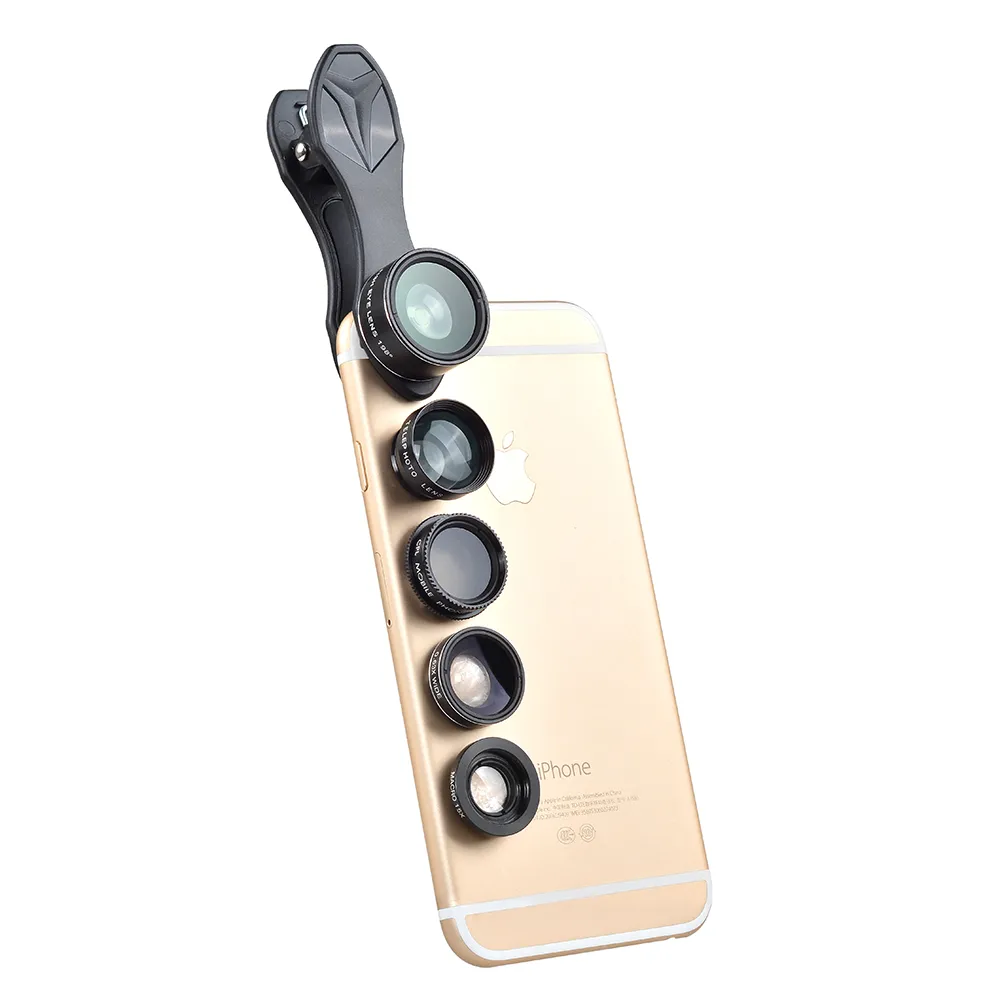
There are two main types of phone camera lenses: the wide-angle lens and the telephoto lens. The wide-angle lens is the primary lens that comes with most smartphones. It has a wider field of view, which allows you to capture more of your surroundings. The telephoto lens, on the other hand, allows you to zoom in on your subject without losing image quality.
- Parts of a Phone Camera Lens
A phone camera lens comprises several parts, including the lens body, the aperture, and the focus mechanism. The lens body is the outer casing that protects the lens from damage. The aperture is the opening that controls the amount of light that enters the lens. The focus mechanism is the part of the lens that allows you to focus on your subject.
- How a Phone Camera Lens Works
When you take a photo with your smartphone, the lens captures the light that is reflected off the subject and focuses it onto the camera sensor. The camera sensor then converts the light into an image that you can view on your phone.
III. Signs That Your Phone Camera Lens Needs Cleaning
There are several signs that indicate that your phone camera lens needs cleaning. Some of these signs include:
- Blurry or Hazy Photos
If you notice that your photos are coming out blurry or hazy, it could be a sign that your phone camera lens is dirty. This is because the dirt and debris on the lens can interfere with the light that enters the lens, resulting in blurry or hazy photos.
- Dark or Distorted Photos
If your photos are coming out dark or distorted, it could also be a sign that your phone camera lens is dirty. The dirt and debris on the lens can block the light that enters the lens, resulting in dark or distorted photos.
- Spots or Smudges on the Lens
If you notice spots or smudges on your phone camera lens, it is a clear sign that your lens needs cleaning. The spots and smudges can interfere with the light that enters the lens, resulting in poor-quality photos.
IV. Tools Needed for Cleaning Your Phone Camera Lens
To clean your phone camera lens, you will need the following tools:
- Microfiber Cloth
A microfiber cloth is a soft, lint-free cloth that is ideal for cleaning delicate surfaces such as your phone camera lens. It is essential to use a microfiber cloth when cleaning your phone camera lens as it will not scratch or damage the lens.
- Lens Cleaning Solution
A lens cleaning solution is a gentle cleaning solution that is specifically designed for cleaning camera lenses. It is essential to use a lens cleaning solution when cleaning your phone camera lens as it will not damage the lens or leave any residue.
- Compressed Air Canister
A compressed air canister is a small can of compressed air that is ideal for removing dust and debris from your phone camera lens. It is essential to use a compressed air canister when cleaning your phone camera lens as it will remove any dust or debris that may be stuck on the lens.
V. Step-by-Step Guide on How to Clean Your Phone Camera Lens
Now that you understand the importance of cleaning your phone camera lens, the signs that your phone camera lens needs cleaning, and the tools needed for cleaning your phone camera lens, let's dive into the step-by-step guide on how to clean your phone camera lens.
- Step 1: Turn off Your Phone
Before you start cleaning your phone camera lens, it is essential to turn off your phone. This is to ensure that you do not accidentally press any buttons while cleaning the lens.
- Step 2: Remove Phone Case (If Any)
If your phone has a case, it is essential to remove it before cleaning your phone camera lens. This is to ensure that you can access the lens without any obstructions.
- Step 3: Apply Lens Cleaning Solution to the Microfiber Cloth
Once you have removed your phone case, it is time to apply the lens cleaning solution to the microfiber cloth. It is essential to use a lens cleaning solution that is specifically designed for cleaning camera lenses as it will not damage the lens or leave any residue.
- Step 4: Gently Wipe the Lens in a Circular Motion
Once you have applied the lens cleaning solution to the microfiber cloth, it is time to gently wipe the lens in a circular motion. It is essential to be gentle when wiping the lens as you do not want to scratch or damage the lens.
- Step 5: Use Compressed Air Canister to Blow Away Any Remaining Dust or Debris
After you have wiped the lens with the microfiber cloth, it is time to use the compressed air canister to blow away any remaining dust or debris. Hold the canister about 6 inches away from the lens and spray short bursts of air to remove any dust or debris that may be stuck on the lens.
- Step 6: Repeat If Necessary
If your phone camera lens is still dirty after the first cleaning, you can repeat the process until the lens is clean.
VI. Tips for Maintaining a Clean Phone Camera Lens
Now that you know how to clean your phone camera lens let's discuss some tips for maintaining a clean phone camera lens.
- Avoid Touching the Lens with Your Fingers
One of the most effective ways to maintain a clean phone camera lens is to avoid touching the lens with your fingers. The oils and dirt from your fingers can leave smudges and spots on the lens, which can interfere with the light that enters the lens.
- Keep Your Phone in a Clean and Dry Environment
Another way to maintain a clean phone camera lens is to keep your phone in a clean and dry environment. Avoid exposing your phone to moisture and dirt, as this can cause the lens to become dirty.
- Clean Your Phone Camera Lens Regularly
Lastly, it is essential to clean your phone camera lens regularly. Cleaning your phone camera lens once a week can help prevent dirt and debris from building up on the lens.
VII. Conclusion
In conclusion, cleaning your phone camera lens is an essential part of maintaining the quality of your photos. By understanding the different types of phone camera lenses, the signs that your phone camera lens needs cleaning, the tools needed for cleaning your phone camera lens, and a step-by-step guide on how to clean your phone camera lens, you can ensure that your photos are always of the highest quality. Additionally, by following the tips for maintaining a clean phone camera lens, you can prevent dirt and debris from building up on the lens and ensure that your photos always come out clear and crisp.